Posts
We continue the series of posts about the main classes of solutions used in AppSec/DevSec…
October 10, 2025 at 7:20 PM•Max Knyazev is typing…Telegram mirror
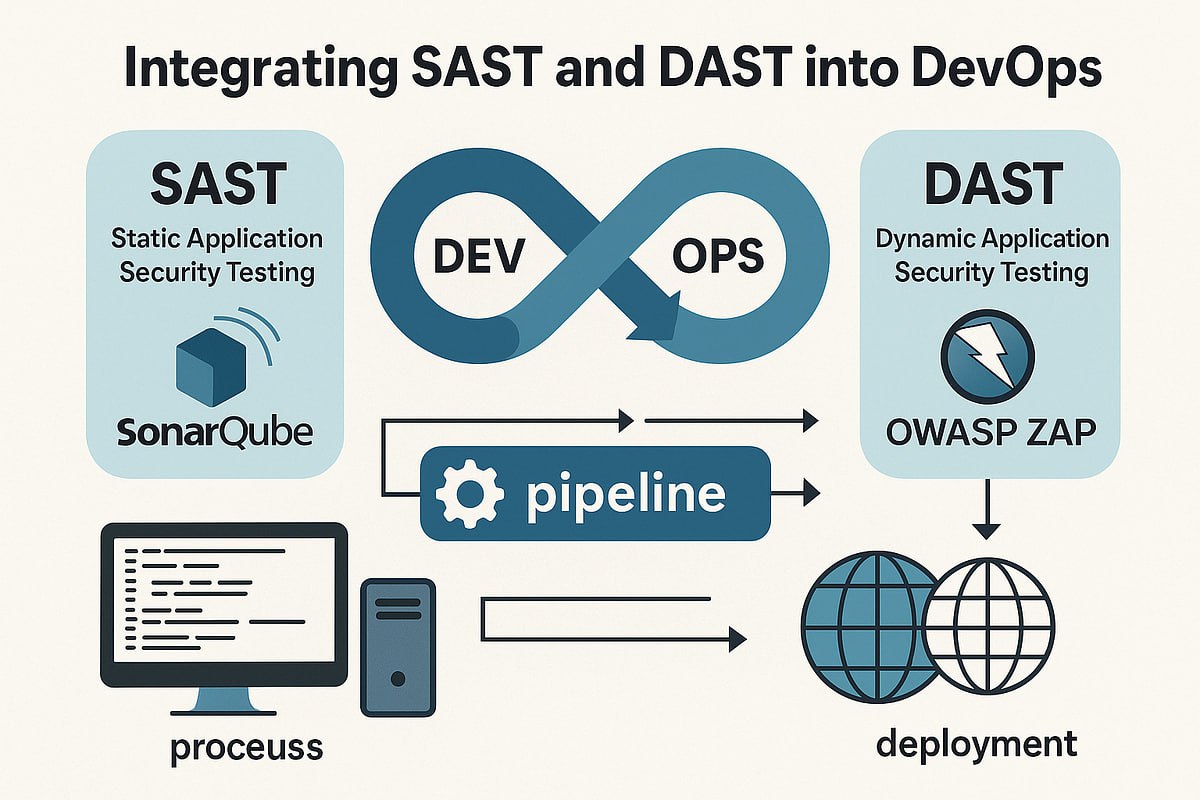
We continue the series of posts about the main classes of solutions used in AppSec/DevSecOps. Last time we talked about
SAST
, now it’s time for his “brother” - DAST
💀
What is DAST?
DAST stands for Dynamic Application Security Testing. Unlike SAST, which tinkers with the source code, DAST looks at the application “from the outside,” already in working form. This is a “black box” method: we do not have access to the code, we only see what is available to the end user or attacker. And we check: what will happen if you try to enter data in the wrong format into the form? What if you play around with requests to the server?
🧐
What is DAST used for?
To simplify, DAST is needed to check how the application behaves in combat conditions. Solutions of this class simulate the actions of an attacker: send unusual requests, try SQL injections, XSS, check the operation of sessions and cookies, and much more. That is, this is a kind of “penetration tester at minimum wages” (
may pentesters forgive me for such a comparison; I repeat - at strong, strong minimums;
DAST does not replace pentesting
; Don’t even think about saying that to experienced specialists or in a job interview
), automatic only
😅
How does it work?
Imagine you have a website. DAST connects to it like a regular user and starts browsing the pages, clicking buttons, filling out forms. Only he does it much more persistently and cunningly. For example, he enters not “Ivan” into the name field, but “alert(1)” - and watches what happens. If the script works, then there is an XSS vulnerability. Or tries to substitute ' OR '1'='1 into the query - if the database is “broken”, it means SQL injection ( put
⚡️
, if you want a separate series of posts on common types of vulnerabilities
)
Unlike SAST, which builds a code tree, DAST builds a map of the application: what pages there are, how they are connected, where the forms lead. And already using this map he begins to look for weak points
🤌
How to use DAST?
Typically, DAST scanners are deployed either as a separate tool with a web interface, where you specify the address of the application being tested, or are integrated into the CI/CD pipeline. In the first case, you can run the scan manually, in the second, the application will be checked automatically with each release. Conveniently, unlike SAST, DAST does not require access to the code, so you can even test third-party services
👍
Tools for implementing DAST
Here, too, there are both open source and commercial solutions. Among the paid and popular - OWASP ZAP , Arachni , Wapiti . Among domestic commercial ones, we can highlight PT Application Inspector ( it can do both DAST and SAST ), PT BlackBox , and also Solar appScreener . Among foreign ones -Burp Suite and Acunetix . These products usually provide much more functionality, including the generation of very nice reports, integration with bug trackers and ranking of tests.
In my practice, I worked with OWASP ZAP ( in addition to the same PT AI ). An excellent and lightweight open source for CI/CD and basic checks. I recommend trying it
😉
I hope this post was helpful to you. I even enjoyed writing them :)
#information_security #dast
Open original post on TelegramWhat is DAST?
DAST stands for Dynamic Application Security Testing. Unlike SAST, which tinkers with the source code, DAST looks at the application “from the outside,” already in working form. This is a “black box” method: we do not have access to the code, we only see what is available to the end user or attacker. And we check: what will happen if you try to enter data in the wrong format into the form? What if you play around with requests to the server?
What is DAST used for?
To simplify, DAST is needed to check how the application behaves in combat conditions. Solutions of this class simulate the actions of an attacker: send unusual requests, try SQL injections, XSS, check the operation of sessions and cookies, and much more. That is, this is a kind of “penetration tester at minimum wages” (
How does it work?
Imagine you have a website. DAST connects to it like a regular user and starts browsing the pages, clicking buttons, filling out forms. Only he does it much more persistently and cunningly. For example, he enters not “Ivan” into the name field, but “alert(1)” - and watches what happens. If the script works, then there is an XSS vulnerability. Or tries to substitute ' OR '1'='1 into the query - if the database is “broken”, it means SQL injection ( put
Unlike SAST, which builds a code tree, DAST builds a map of the application: what pages there are, how they are connected, where the forms lead. And already using this map he begins to look for weak points
How to use DAST?
Typically, DAST scanners are deployed either as a separate tool with a web interface, where you specify the address of the application being tested, or are integrated into the CI/CD pipeline. In the first case, you can run the scan manually, in the second, the application will be checked automatically with each release. Conveniently, unlike SAST, DAST does not require access to the code, so you can even test third-party services
Tools for implementing DAST
Here, too, there are both open source and commercial solutions. Among the paid and popular - OWASP ZAP , Arachni , Wapiti . Among domestic commercial ones, we can highlight PT Application Inspector ( it can do both DAST and SAST ), PT BlackBox , and also Solar appScreener . Among foreign ones -Burp Suite and Acunetix . These products usually provide much more functionality, including the generation of very nice reports, integration with bug trackers and ranking of tests.
In my practice, I worked with OWASP ZAP ( in addition to the same PT AI ). An excellent and lightweight open source for CI/CD and basic checks. I recommend trying it
I hope this post was helpful to you. I even enjoyed writing them :)
#information_security #dast
Discussion
Comments
Comments are available only to confirmed email subscribers. No separate registration or password is required: a magic link opens a comment session
Join the discussion
Enter the same email that you already used for your site subscription. We will send you a magic link to open comments on this device
There are no approved comments here yet