Projects
SmartPulse
SmartPulse SmartPulse is a smart heart rate monitor with integrated security mechanisms, designed to demonstrate Internet of Things security techniques as part of a final qualifying thesis. BLE is used as a wireless dat…
2024•Completed
About the project
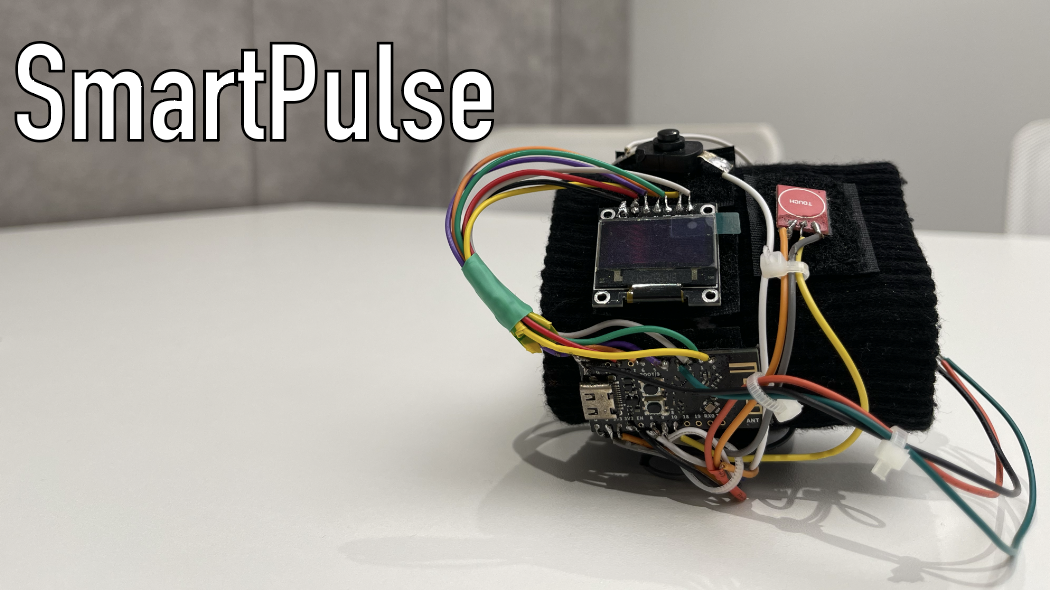 #SmartPulse
SmartPulse is a smart heart rate monitor with integrated security mechanisms, designed to demonstrate Internet of Things security techniques as part of a final qualifying thesis. BLE is used as a wireless data transmission technology
#SmartPulse
SmartPulse is a smart heart rate monitor with integrated security mechanisms, designed to demonstrate Internet of Things security techniques as part of a final qualifying thesis. BLE is used as a wireless data transmission technology
Contents
- Technology and component stack
- Description of functionality
- Protection Mechanisms
- Electronic components connection diagram
- Case
- Final qualifying work
- Additional materials
Technology and component stack
Software part
- C programming language
- ESP-IDF development environment
Hardware
- Pulse sensor
- OLED display, SPI
- Voltage and current sensor CJMCU-219 on INA219 chip
- Tact button
- Touch sensor TTP223
- Lithium polymer battery 320 mAh
- Battery charge controller module with TP4056 protection
- WeAct Studio ESP32-C3 Core
Description of functionality
- Heart rate measurement
- Battery charge level detection
- Control the display of data on the device screen
- Implementation of protection mechanisms from the developed methodology
- Interaction with a mobile device using the Smart Connect mobile application via BLE technology
Protection mechanisms
- Limit on the number of connections
- Limiting physical interaction
- Data and firmware encryption
- Random number sequence generators
- Restricting access to critical memory areas
- Using the latest BLE specifications
- Secure connection
- Dynamic pin code for authentication
- Distribution of encryption keys during pairing
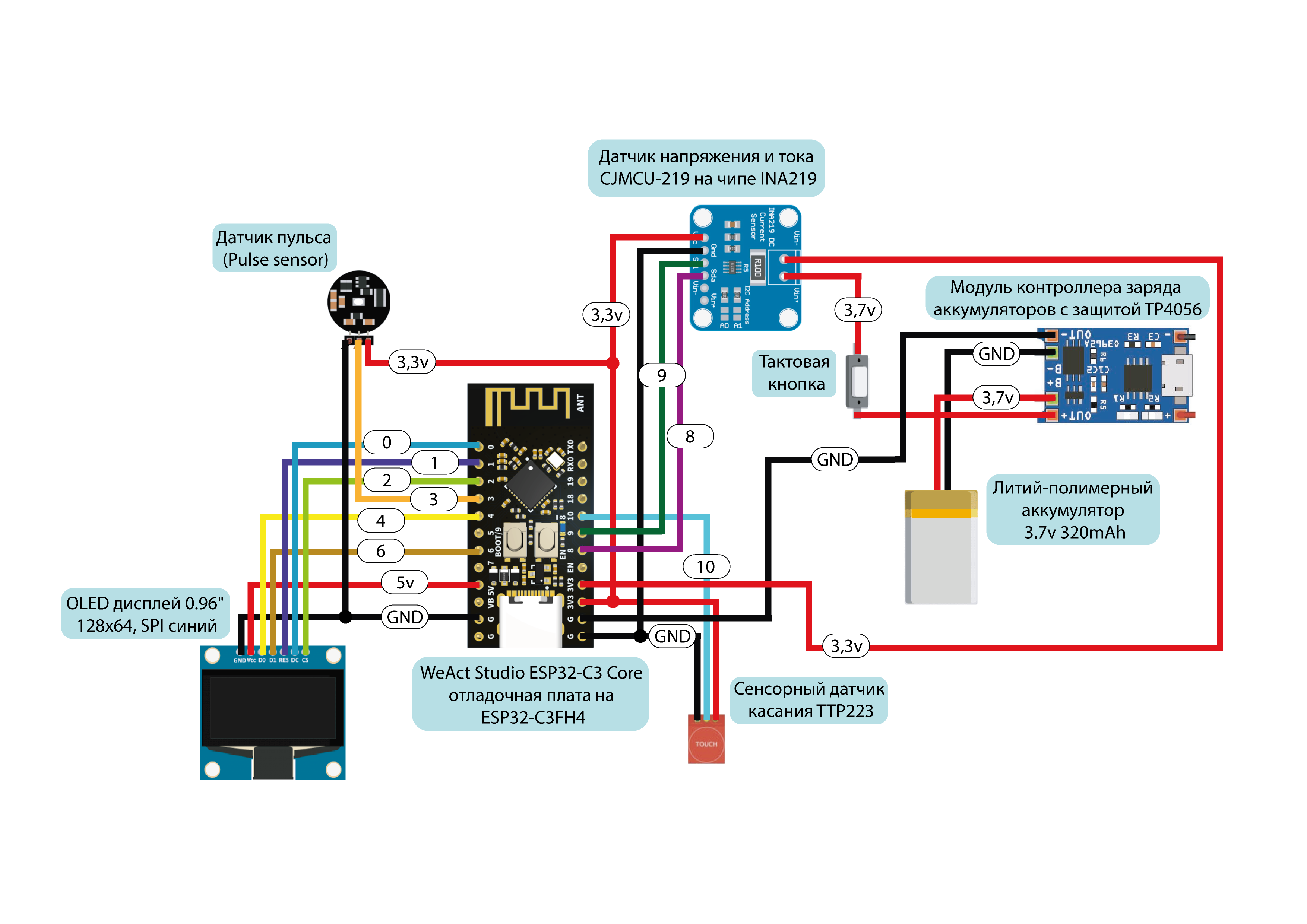
Connection diagram for electronic components
Final qualifying work
The original final qualifying work can be found at link
Additional materials
Read about the creation of this device in article on Habré
##Links
- GitHub: MaxiEnergy/SmartPulse
How this work connects to others
272 stars · 289 connections
Explore the connections between materials on the star map.
A few materials from the map
- And here is the podcast itself 🤩 We filmed it entirely on our own, so don't jud…
- Who is hired for information security?
- Friends, hello everyone 🫶 Today @maxigacy and I will be recording a podcast for…
- The series "Mr. Robot" is already more than 10 years old. I remember watching i…
- I soldered myself an addon for a badge🤌 To be honest, I haven’t soldered anythi…
- Hello everyone 🙃 Today we are hanging out at one of the largest annual security…
- Situation: a colleague of one of my close friends had his account hacked. His b…
- Attention everyone, I was hacked and tried to blackmail me Well, that’s it, the…