Essay
Information Security Specialist Diploma. Part #5 - Unauthorized access to IoT devices with BLE
A short preface Hello, Habr! This article is the fifth and final in the “Diploma of an Information Security Specialist” series, in which I talk about my experience in writing a final qualification...
Contents11
A short preface
Hello, Habr!
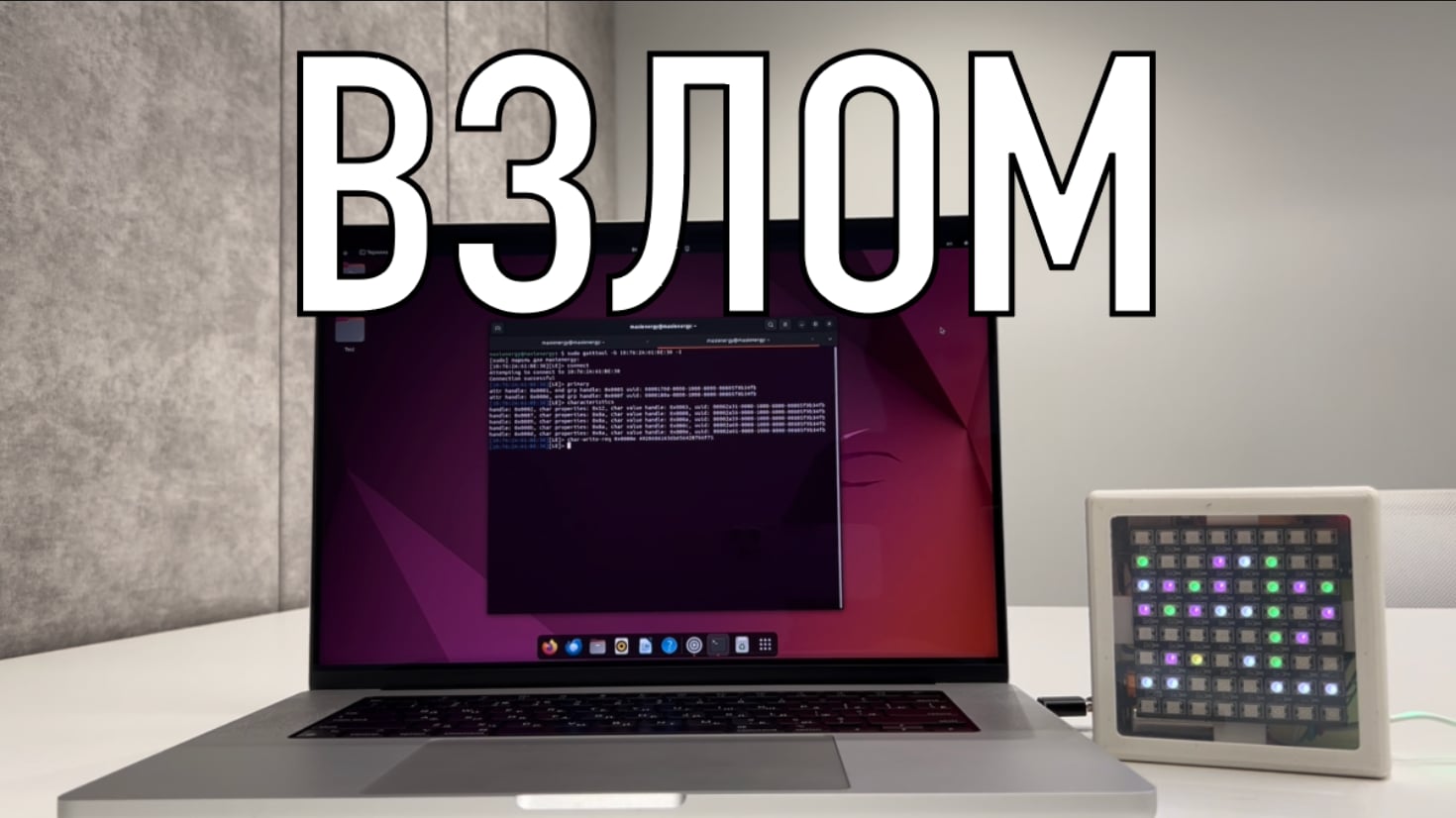
This article is the fifth and final in the series “Diploma of an Information Security Specialist,” in which I talk about my experience in writing a final qualifying thesis for the higher education program “Computer Security.” B previous article I talked about writing a mobile application "Smart Connect" to interact with previously developed IoT devices ( SmartLight and SmartPulse ). In this article we will try to gain unauthorized access to the devices presented in the thesis.
Why is this even necessary?
Those who managed to get acquainted with first part of this series of articles, they remember that in it I talked about a security methodology in which I proposed the selection of the most effective mechanisms for protecting IoT devices using a mathematical model based on multi-criteria selection. I don’t know about anyone, but I have a question:
“How could one practically prove the effectiveness of this technique?”
In my opinion, try to hack a device that was protected in accordance with it. Of course, I understand that this kind of technique needs to be tested more comprehensively, and just one attempt at NSD does not give much confidence in its effectiveness. But within the framework of the thesis, this was more than enough, and there was no longer enough time or energy for more.
Unauthorized access is...
First, I propose to understand what is generally meant by the concept of “Unauthorized access”. If you try to search for information about this on the Internet, you can find different interpretations of the definition of NSD.
Unauthorized access to IoT devices according to the DALL-E neural network
But if we highlight the main essence of this process and generalize it, it turns out that unauthorized access is any gaining access to something without rights to it.
Therefore, in the context of my thesis, unauthorized access will be considered as gaining the ability to manipulate the values of BLE characteristics (read, edit, write values) of devices without using a mobile application Smart Connect .
That is, if someone manages to connect and interact with IoT devices using a conditional nRF scanner or specialized software, we will consider that unauthorized access has occurred.
Once all the i’s have been dotted, you can begin the practical implementation of all of the above. Naturally, since as part of my thesis I considered BLE technology, the whole process is semi- The meaning of unauthorized access will be implemented in relation to BLE devices. For convenience, I will describe the entire process step by step.
Step 1: Install the software
In order to somehow connect to BLE devices, you need to first find them. That is, make them visible to the device from which we will try to access them. Various scanners, etc. can help with this.
Since I decided to use a virtual machine on Linux Ubuntu 22.04 LTS “Jammy Jellyfish”, there was no special sense in searching for any specific applications from the word “at all”. For these purposes, there is a very convenient open source package BlueZ, which includes all the necessary services and utilities for working with Bluetooth and BLE devices.
In addition to BlueZ, we will also install rfkill, bluetooth and bluez-tools. Install everything you need with the command:
sudo apt-get install bluetooth bluez bluez-tools rfkill
.
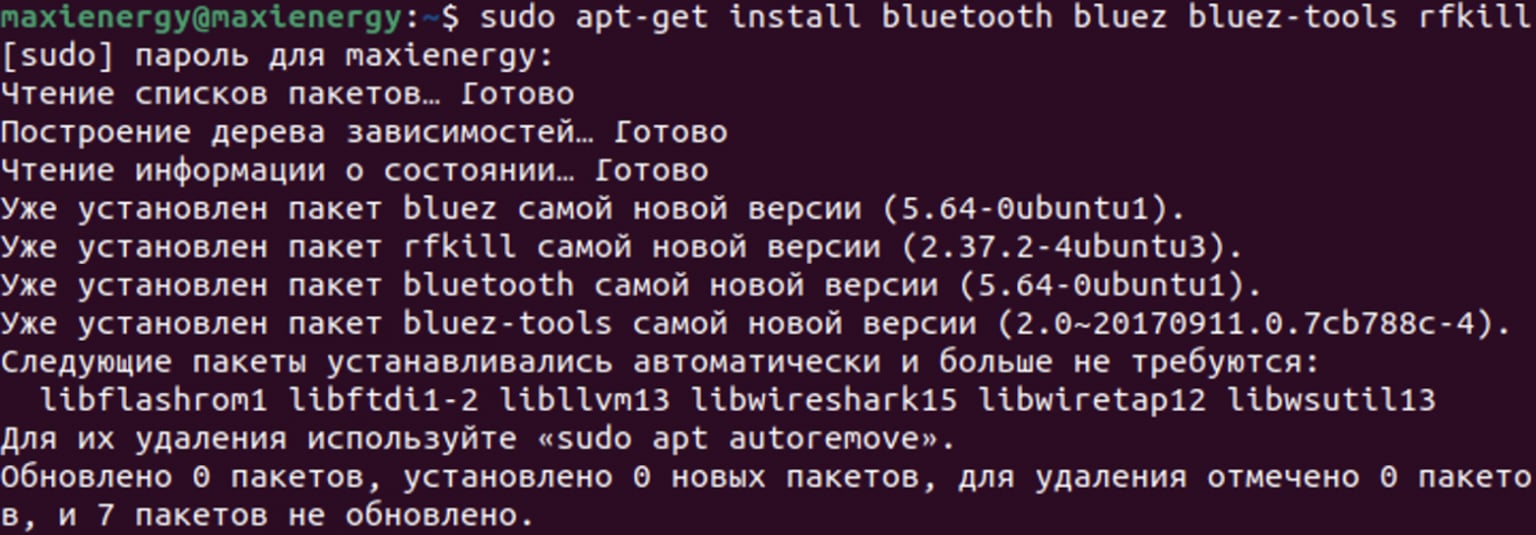
Installation process for bluez, rfkill, bluetooth and bluez-tools packages
Step 2: Launch Bluetooth
After installing the necessary packages, start the Bluetooth service using the command
sudo systemctl start bluetooth
and install autorun with system boot using
sudo systemctl enable bluetooth
.
Next you need to make sure that everything is working correctly. Enter the command
sudo systemctl status bluetooth
and check the service status.
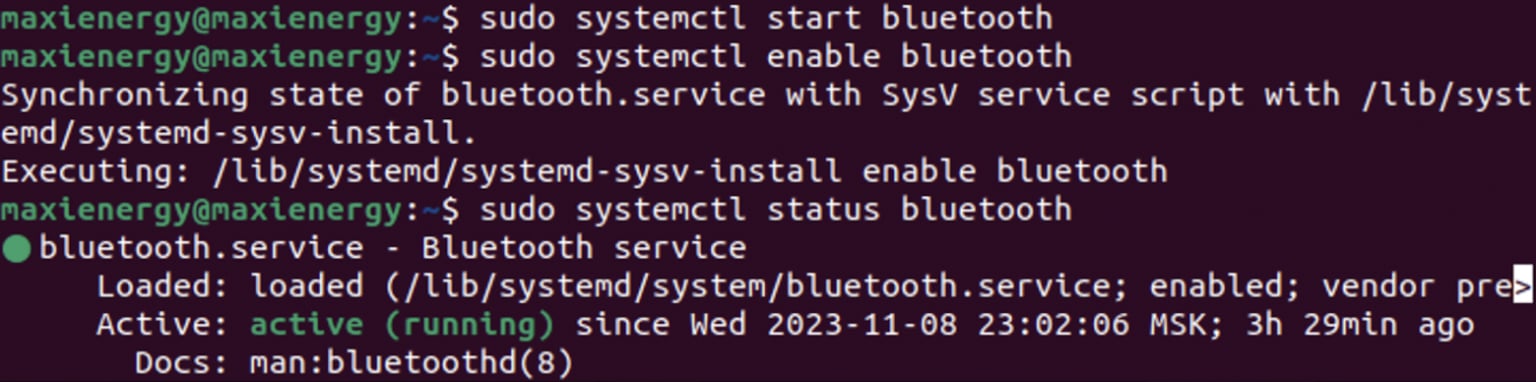
Starting and Testing Bluetooth Service on Linux Ubuntu
Step 3: Scan devices
Now you can start scanning Bluetooth and BLE devices that are nearby. To do this we will use the command
sudo bluetoothctl
, after which we will start scanning using
power on
and
scan on
.
After scanning, we stop this process with the command
scan off
. Among the devices found we notice SmartLight. To receive the NSD, copy his address -
10:76:2A:61:BE:38
.
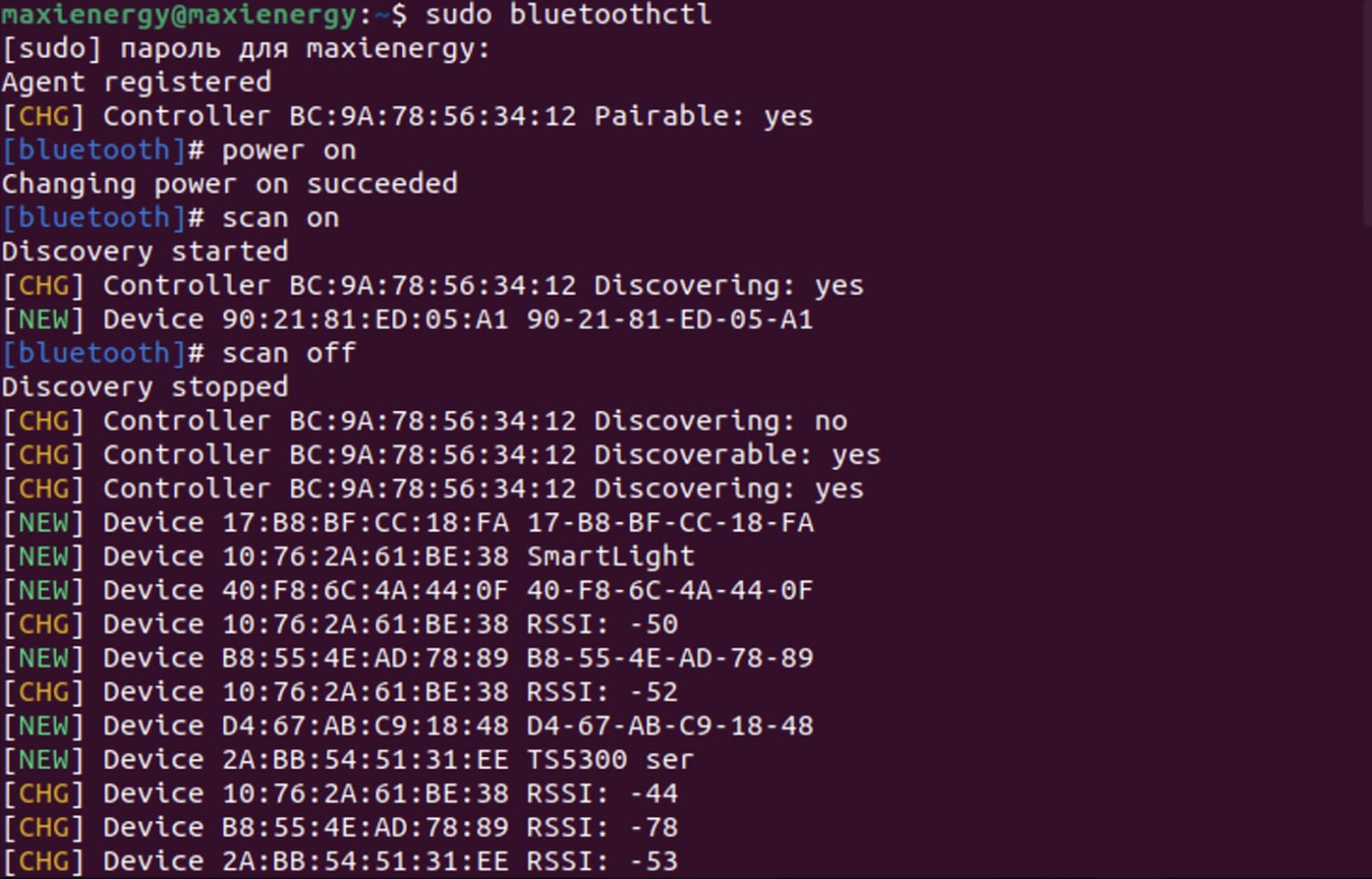
Scan Bluetooth and BLE devices
In a similar way, we will obtain information about the address of the SmartPulse heart rate monitor (
10:7F:B0:5:93:17
), during the development of which the highest priority protection mechanisms from the proposed security methodology were implemented.

SmartPulse among found devices
Step 4: Connect to the device
After publishing the addresses of the required devices, we will use the utility
gatt tool
to view all available information about them in the context of BLE. Using SmartLight as an example, we use the command
sudo gatttool -b 10:76:2A:61:BE:38 - I
, and then connect to the device using
connect
.
Now we can view information about the services and characteristics of SmartLight. Services can be opened using
primary
, and character
eristics - by team
characteristics
.
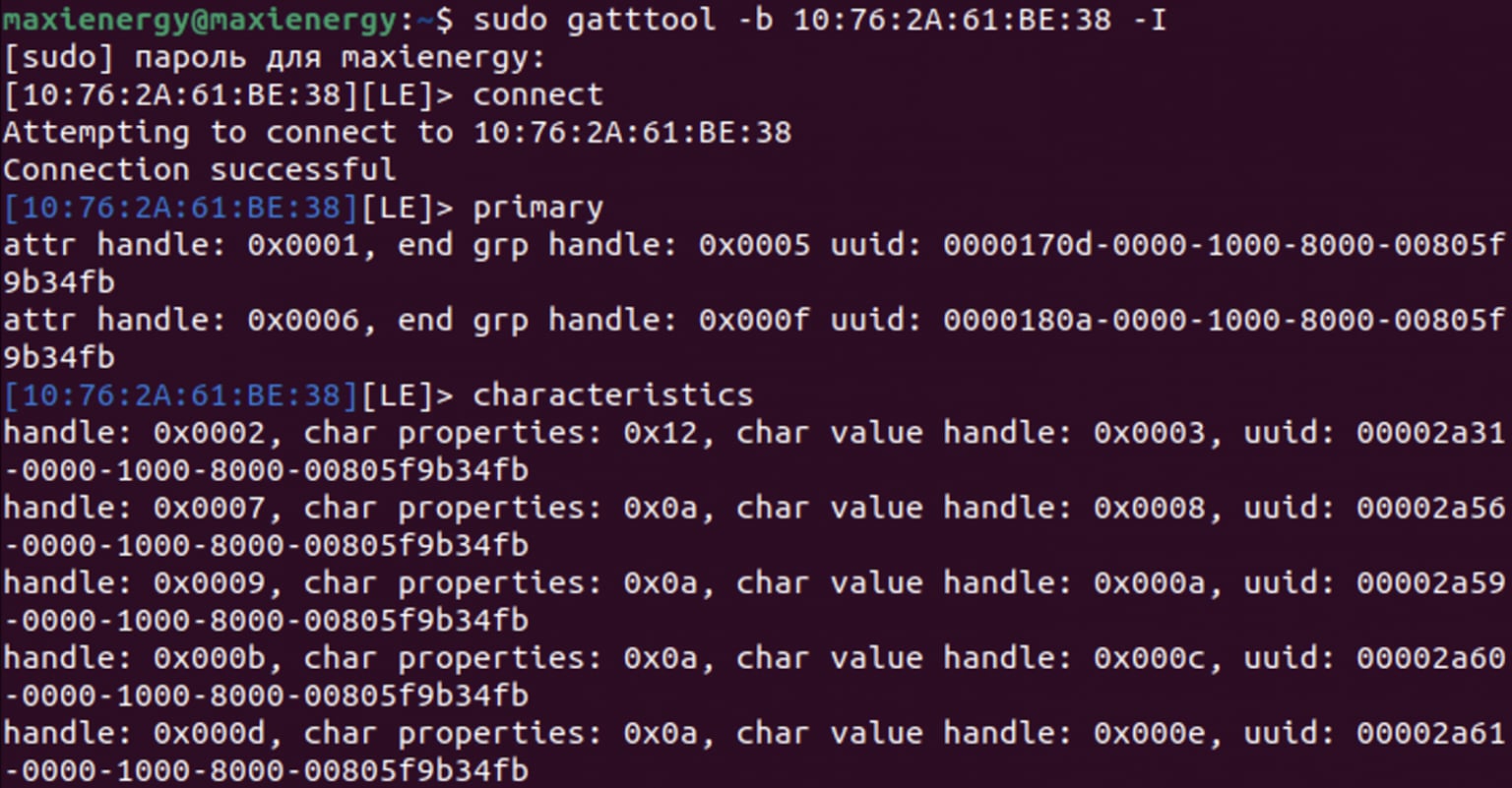
List of BLE services and SmartLight characteristics
In the same way, we will find the services and characteristics of the SmartPulse device at
10:7F:B0:5:93:17
.
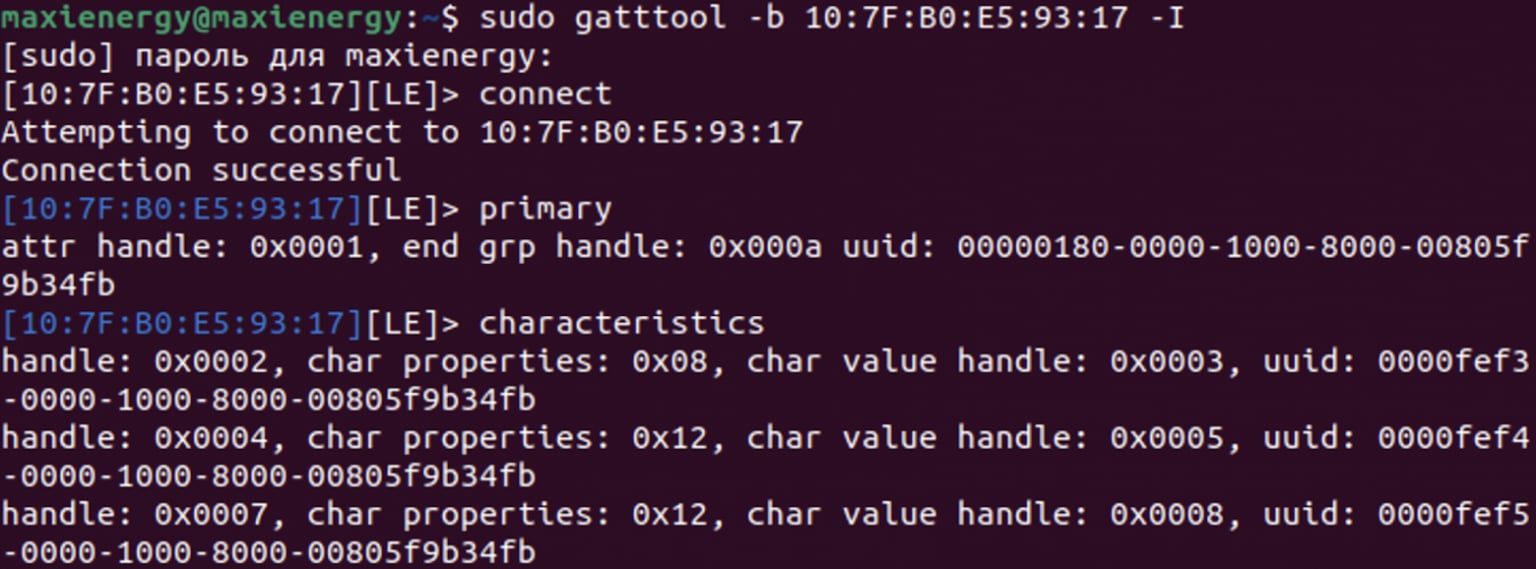
BLE services and characteristics of SmartPulse
Step 5: Read and write BLE characteristics values
To read information about the light level using SmartLight, use the command
char-read-hnd
, adding the char value handle of the desired characteristic (in this case
0x0003
).
After applying the command, we obtain data on the illumination level, which is equal to 40%. To put the device into manual mode, use the command
char-write-req 0×0008
followed by passing the value
00
into the description. We receive a notification that the value has been successfully written to the required characteristic.

Reading and writing values to SmartLight device characteristics
As a result, we can assume that we were able to implement unauthorized access to the SmartLight smart lamp using a basic Linux package for working with Bluetooth and the device address. Now let's try to do the same with the protected SmartPulse device.
When trying to read data from a characteristic, a segmentation error occurs. It also automatically disconnects from the device. If you try to connect a second time, problems will arise here too, since the device will no longer appear in the list of available devices for connection. SmartPulse will in fact no longer transmit any data until it is physically rebooted using a button.
Such a mechanism from techniques creates significant difficulties for repeated attempts to connect remotely to the device, leaving one of the most accessible ways to hack SmartPulse - to steal it. True, there is little point in this, since the device itself does not save any user data.

Unsuccessful attempt of NSD to SmartPulse
Demonstration of NSD
For clarity of unauthorized access attempts, I decided to capture everything on video.
To make it look more epic, while writing the value to the SmartLight characteristic, I launched a ticker on the device with the inscription “I hacked you” using the command
char-write-req 0x000e 49206861636b656420796f75
, where I encoded the transmitted message in HEX.
Well, you received an NSD for your own device, so what?
I understand that after reading this article you might think that it doesn't make any sense at all. Because" assemble two devices, on one of which implement different protection mechanisms, and on the other you cannot even create a banal PIN code, and then be glad that you received an NSD for an unprotected device " - this is strong. But the iceberg, as they say, is much larger than it seems.
Due to the fact that I would not like to “dive” into possible litigation with one sufficient but a large domestic company, I will not mention either the brand or the product, to which I was able to connect in exactly the same way as in this article.
Let me just say that it was the device of one of my friends. It was not connected in any way to any of my mobile or any other devices. After such a preface, let’s move on to true stories about which it is impossible to remain silent.
So, I managed to discover my friend’s smart device during one of the many scans. Without thinking twice, I decided “why not try to connect to it?”. I usually trust those with whom I communicate. But get under Article 272 of the Criminal Code of the Russian Federation somehow there was no desire. So I decided to ask permission to connect. The friend didn't mind. In the end, I not only connected to his device, but was also able to send several entries to the BLE characteristics.
I would not like to blame anyone or go into detail about this issue, but this case is by no means an isolated one. This is proof that commercial products from large and well-known companies that use BLE or Bluetooth for data transmission are often either poorly secured or not secure at all.
Therefore, even the crude and straightforward method that I have demonstrated can be considered to actually gain unauthorized access to existing devices on the market.
Instead of a conclusion
In my opinion, the security methodology that I proposed in my thesis and described in the first article can be refined and deepened so that it can actually be used in practice during the development and design of Internet of Things devices.
I will be happy to listen to the opinions and suggestions of people who have completed and read this and other articles in the series “Diploma of an Information Security Specialist” on how the methodology and my research as a whole could be improved. I would also like to thank everyone who took the time to read this article. I would be incredibly happy to receive feedback in the form of comments in order to improve the quality of the material in future articles.
P.S. I defended my diploma with 5 marks and received several job offers in the field of IIoT and information security from members of the commission.
Other articles in the series "Diploma of Information Security Specialist"
Since the thesis turned out to be quite voluminous, I decided to break it into several related articles:
Information Security Specialist Diploma. Part No. 2 - Stationary SmartLight device
Information Security Specialist Diploma. Part #3 - SmartPulse portable device
Information Security Specialist Diploma. Part No. 4 - Smart Connect mobile application
Information Security Specialist Diploma. Part #5 - Unauthorized access to IoT devices with BLE
With the original VKR can be found here
Discussion
Comments
Comments are available only to confirmed email subscribers. No separate registration or password is required: a magic link opens a comment session
Join the discussion
Enter the same email that you already used for your site subscription. We will send you a magic link to open comments on this device
There are no approved comments here yet